


DIGITAL PAYMENTS
novobanco is now in Apple Pay
Apple Pay
-
Apple Pay arrived at novobanco.
You can now pay with Apple Pay in a simple, fast and secure way using your novobanco debit or credit card. Make payments with an iPhone, Apple Watch, iPad or Mac with no sign up fee at novobanco.
Find out how Apple Pay works.
How does Apple Pay works?


Open wallet
On your Apple device


Add your novobanco card
Enter the details manually or use the camera to scan your card details


Start paying
Pay securely with Apple Pay in shops or online
How to pay with Apple Pay: Add your cards
Add your cards to Apple Pay on iPhone, Apple Watch, iPad ou Mac.
- On iPhone
- On Apple Watch
- On iPad
- On Mac
Add your card on iPhone
Open the wallet app on your iPhone
Tap the plus icon in the top right corner
Select novobanco
Use your iPhone camera to scan your card details or enter them manually
Read the Apple Pay terms and conditions and tap accept
Follow the on screen steps to verify your card with the card issuer
Once verified, your card is added to Apple Pay and ready to use
Add your card on Apple Watch
Open the Watch app on your iPhone
Tap my watch and select wallet and Apple Pay
Tap add a debit or credit card
Use your iPhone camera to scan your novobanco card details or enter them manually
Follow the on screen steps to verify your card with the card issuer
Once verified, your card is added to Apple Pay and ready to use on your Apple
Add your card on iPad
In Settings, select wallet and Apple Pay and tap add card
Enter your novobanco card details manually or use the device camera to scan them
Follow the remaining on screen steps. Your card is added and ready to use on iPad
Add your card on Mac with Touch ID
Open system settings and select wallet and Apple Pay. Then choose add card
Enter your novobanco card details manually or scan them using your webcam
Follow the remaining on screen steps. Your card is added and ready to use on your Mac with touch ID
Is Apple Pay safe?
Encrypted data
When you pay online, Apple Pay encrypts data to protect the payment.

Protected information
Apple Pay does not store your card number. Your information stays protected.
Secure authentication
Apple Pay requires extra authentication before a payment can be completed.
Benefits of Apple Pay
-
 Easy and digital
Pay with Apple Pay without using a physical wallet. Use your smartphone
-
 Security and privacy
Apple Pay uses encryption and token technology to protect your payment details
-
 Accepted in thousands of stores
Use Apple Pay in shops and online wherever contactless payments are accepted
-
 Your cards in one place
Add and keep your debit and credit cards together in wallet
-
 Fast set up
No need to create a separate account or fill in long forms
-
 Works with other apps
Use Apple Pay in travel and shopping apps to make payments easier
Where to pay with Apple Pay?
In shops
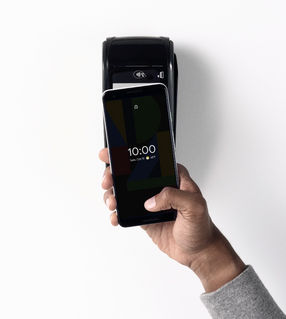
Hold your iPhone, Apple Watch or iPad near a contactless terminal and confirm with Touch ID or Face ID
In apps and on websites
On iPhone or iPad, choose Apple Pay at checkout and confirm
In Safari on Mac
On your Mac, choose Apple Pay at checkout and complete the purchase

Strong customer authentication
Safer transactions, fewer worries.
Useful links
Documentation
Frequently asked questions
Apple Pay is a contactless and online payment service designed for fast and secure payments using your Apple device. iPhone, Apple Watch, iPad or Mac.
Add your novobanco debit or credit card to Apple Wallet. Apple Wallet is pre installed on Apple devices.
When you add your card, a token is created. It is a unique sequence of digits that replaces your card details in Apple Pay transactions.
You can use Apple Pay worldwide in shops that accept Visa contactless payments, and in Safari websites or apps that accept Apple Pay.
You can check transactions in Apple Wallet, or in novobanco Digital Channels. App or novobanco Online.
In novobanco Digital Channels, debit card payments appear in your current account. Credit card payments appear in your card account. In both cases, only after the merchant updates the transaction.
Apple Pay is more secure than a debit or credit card for several reasons: it is supported by encrypted technology built into your devices, it uses a token and therefore does not store your card details on the device or on Apple’s servers, nor are they shared with merchants. Finally, it uses biometric authentication methods such as Face ID or Touch ID to verify the purchaser.
Do not share your card details, passwords or PIN with anyone. Make sure access to your devices is controlled only by you.
No. Apple does not charge fees to use Apple Pay in shops, online, or in apps.
You will receive a notification confirming whether the payment was successful.
Yes, as long as the card is still eligible. For example, it has not been cancelled and it is not expired.
You can add up to 16 cards, depending on the device model. Each device generates a different token.
Yes. The same card can be used because each device has its own token.
No. Your renewed card is transferred automatically.
Yes. The card on Apple Watch is removed from Apple Pay.
It means the card is not eligible. For example, the card type is not included in the bank’s Apple Pay offer, the card is blocked, or your details are not updated. Contact support.
Cancel Apple Pay with Apple and report it to novobanco so your tokens can be cancelled or suspended.
Apple Pay works on Apple devices with NFC enabled for contactless payments and biometric authentication. Touch ID or Face ID.
Related topics



PUB | NOVO BANCO S.A. | Registered no. 7 at Banco de Portugal